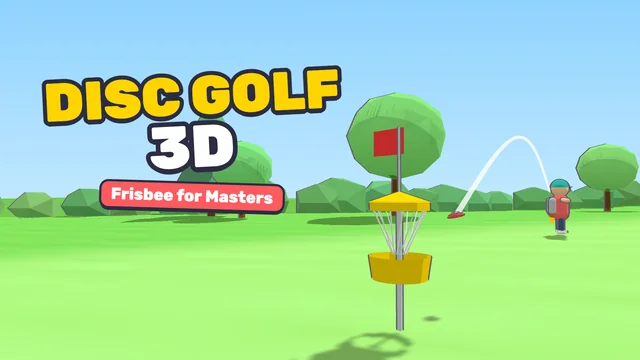




Disc Golf 3D - Frisbee for Masters: game overview
- Category
- Sports
- Play
- Online in your browser
About Disc Golf 3D - Frisbee for Masters
Cartoon 3D disc golf (frisbee golf) for mobile and PC. Aim your throw, pick a curve and disc, set the power and nail a quick release mini-game — or simply draw the throw with your finger — to land the disc in the chains. Level up skills, unlock discs, bags and funny outfits, knock down the camera drones filming you, dodge squirrels and climb daily tournaments across parks, forests and lakes with changing weather.
Game highlights
- Sports
How to play Disc Golf 3D - Frisbee for Masters
- Get the disc into the basket in as few throws as possible. Classic mode: 1) aim by dragging (or A/D), pick a curve (W/S) and throw type (Q); 2) drag the power slider — the yellow ring shows where it lands; 3) tap/Space to win the release mini-game. Swipe mode: draw the throw upward — faster = farther, bend = curve, smooth = accurate — check the landing ring, then tap Throw.
Controls
Get the disc into the basket in as few throws as possible. Classic mode: 1) aim by dragging (or A/D), pick a curve (W/S) and throw type (Q); 2) drag the power slider — the yellow ring shows where it lands; 3) tap/Space to win the release mini-game. Swipe mode: draw the throw upward — faster = farther, bend = curve, smooth = accurate — check the landing ring, then tap Throw.
Tips for your next attempt
- Practice the timing of a shot or movement before trying to improve your score.