












Edy's Car Simulator: game overview
- Category
- Driving
- Play
- Online in your browser
About Edy's Car Simulator
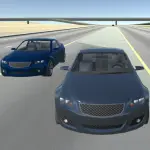
Edy's Car Simulator provides an open 3D city and a test-track area for experimenting with car handling.
There is room to compare acceleration, braking and a change of camera without treating every drive as a race. Roads, ramps and the test-track entrance give you places to make the same maneuver at different speeds.
Game highlights
- Open city driving
- Test-track area
- Handbrake and camera controls
How to play Edy's Car Simulator
- Click inside the driving scene to give the game keyboard focus.
- Use W/Up to accelerate, S/Down to brake or reverse, and A/D or Left/Right to steer.
- Press Space for the handbrake and C to change camera view while exploring the roads and test track.
Controls
Use WASD or the arrow keys to drive, Space for the handbrake and C to change the camera. Follow the game control guide for vehicle selection and reset commands.
Tips for your next attempt
- Choose an open straight to learn braking distance before heading between buildings.
- Use a camera angle that shows the road ahead when approaching a ramp.
- Compare one corner at two speeds to learn the car's response before adding the handbrake.
Play Edy's Car Simulator on AntGames