







How to Fish: game overview
- Category
- Adventure
- Play
- Online in your browser
About How to Fish
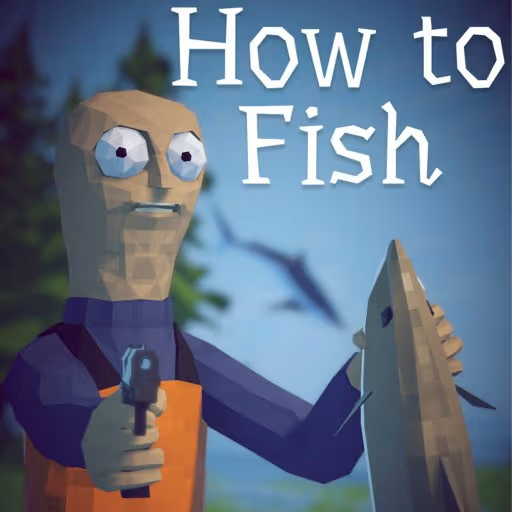
How to Fish is the BRL Games browser adventure about fishing, equipment and finding a route home through an island archipelago. A storm leaves you at Driftwood Pier, where Makar, the local shopkeeper, introduces your starting tools and the first task.
A rod, pistol and harpoon give you different ways to handle a catch. Rod fishing involves waiting for a bite and managing line tension; bringing a creature out of the water can lead straight into aiming and shooting. Switching tools changes what the action button does.
Catch sales and quests support equipment upgrades and further travel. The opening tasks keep you on the first island while you learn the loop. Early quest rewards help you work toward a boat, and licenses open additional sea routes.
Game highlights
- First-person exploration around Driftwood Pier and the surrounding water
- Rod fishing with bite timing and line-tension cues
- A pistol and harpoon alongside the fishing rod
- Catch sales, equipment upgrades and island progression
How to play How to Fish
- Choose Begin the Voyage and read Makar's introduction. Once the conversation ends, check the current objective and follow the ground arrows toward the pier.
- Equip the rod and aim toward open water. The float needs to land in water; the ground and the pier deck block a cast.
- Wait for the bite cue, then follow the hooking and reeling instructions. Adjust the pull using the tension indicator instead of holding the action button continuously.
- When the catch is out of the water, follow the next prompt. If it needs shooting, switch to the pistol, aim at the creature and use the action button.
- Take the catch to the selling point and use the displayed interaction prompt. Complete the current task before deciding on equipment or a new route.
Controls
| Input | Action |
|---|---|
| WASD | Move around the island |
| Mouse | Look around and aim |
| Left mouse button | Use the selected tool: follow the rod prompts to fish, or fire with the pistol selected |
| E | Interact when a nearby character, object or selling point shows the prompt |
| 1 / 2 / 3 | Select the rod, pistol or harpoon in the tool bar |
| Touchscreen | Use the left stick to move, swipe on the right to look, and use the on-screen action buttons |
Key assignments can vary by game mode. Follow the in-game control screen if its prompts differ.
Tips for your next attempt
- Use the ground arrows and current objective to learn the first fishing spot before wandering along the shore.
- Check where the float will land before casting. Aiming over the deck wastes the attempt even when water is visible behind it.
- Watch the tension cue while reeling. Pulling too hard and leaving the line too loose are both problems to correct.
- Be ready to switch tools when a catch reaches the surface. The left mouse button fires with the pistol selected, so confirm the highlighted tool before acting.
- Let the current quest guide early spending. The introduction connects those first rewards with getting a boat.
Common questions
Why will my fishing rod not cast from the pier?
The float has to land in water. If the game says that ground or decks block casting, adjust your aim away from the planks or shoreline and follow the tutorial's fishing target.
What do I do after reeling a fish out of the water?
Follow the catch prompt and switch to the pistol when shooting is required. With that tool selected, the left mouse button fires instead of reeling. Handle the catch before taking it to the selling point.
How do I progress beyond the first island?
Work through the fishing and selling objectives first. Makar explains that early quest rewards help you buy a boat, and that further sea routes use licenses. Check the current task and map for the next requirement.
Is this the Dazed Games Steam release?
This page runs the BRL Games browser adventure. Dazed Games' Steam title is a separate release, so its co-op features and guides should not be assumed to apply here.
How to Fish browser version by BRL Games. Embedded from 101Games.