
















Barber Shop Hair Salon Sim: game overview
- Category
- Casual
- Play
- Online in your browser
About Barber Shop Hair Salon Sim
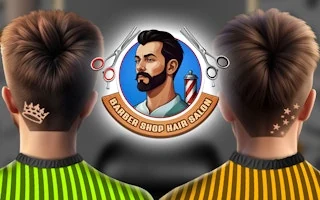
Barber Shop Hair Salon Sim is a mouse-driven haircut simulator. Choose a customer, select tools and apply them to the appropriate parts of the hair or face. Story Mode provides a progression of customers, while Free Mode allows more open experimentation with their styles.
How to play Barber Shop Hair Salon Sim
- Choose a customer and inspect the requested work or free-style options.
- Select a tool and drag it over the relevant area to complete the haircut.
Controls
| Input | Action |
|---|---|
| Left click | Select tools and interface icons |
| Hold left mouse and drag | Apply the selected tool |
Key assignments can vary by game mode. Follow the in-game control screen if its prompts differ.
Tips for your next attempt
- Use a tool on a small area first so you can see its effect before changing a larger section of hair.