





Brain Lines: game overview
- Category
- Puzzle
- Play
- Online in your browser
About Brain Lines
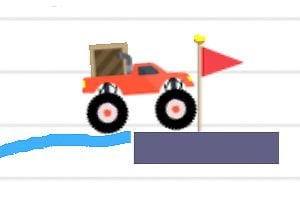
Brain Lines lets you draw an object and then hand the result to gravity. A line becomes a physical shape that can fall, lean or push the pieces already in the puzzle.
The opening level rewards a working arrangement rather than a detailed drawing, making shape and placement more useful than decoration.
Game highlights
- Drawn objects with physics
- Compact target puzzles
- Shape count and solve feedback
How to play Brain Lines
- Choose Play and open the first level.
- Drag across the playfield to draw a line where it can affect the puzzle objects.
- Release and let the shape settle; restart if the result misses the goal.
Controls
Drag to draw a line. Release to let physics act on it; use the restart control to retry.
Tips for your next attempt
- Draw only as much line as the layout needs. An oversized shape can fall in the wrong direction.
- Allow for gravity: a floating line will not stay where you drew it.
- When a solution fails, move an endpoint or change the slope before replacing the whole idea.